Collecting Guide
How to Scan Lorcana Cards With Your iPhone
Typing every card into a tracker is the reason most collections never get cataloged. Your iPhone camera can do it instead: point it at a card and let image recognition identify the exact card, set, and collector number for you.
How Lorcana card scanning works
A card scanner app compares what your camera sees against artwork and layout data for every printed Lorcana card. Because each card's frame, art, name, and collector number are distinctive, recognition takes a fraction of a second — no typing, no searching, no dropdown menus.
In Ink Well Keeper, scanning is the fastest way to add cards: the scanner recognizes the card live in the viewfinder, shows you the match, and adds it to your collection with one tap — or automatically in Auto Scan mode.
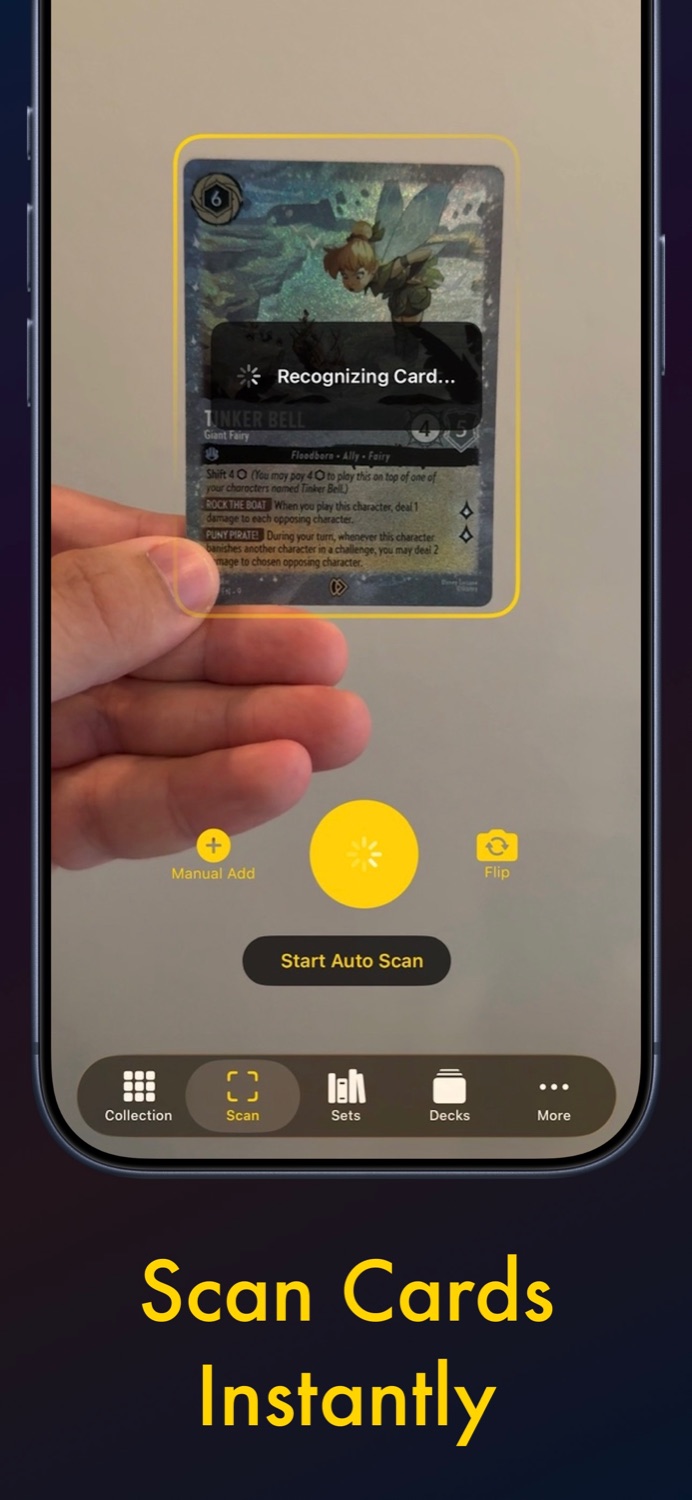
Batch-scanning a whole stack
The real time-saver is multi-scan. Instead of scan → save → scan → save, you keep the camera running and feed cards through:
- Open the Scan tab and start Auto Scan.
- Hold each card in view until it's recognized — about a second — then slide the next card on top of the stack.
- When the stack is done, review the full list of recognized cards in one screen.
- Fix any variant details (foil vs. normal), then add everything at once.
A fresh booster box — 24 packs, 288 cards — is a single session, not a weekend project.
Tips for accurate scans
- Light matters most. Scan under even, indirect light. Harsh overhead light creates glare on foils.
- Foils and Enchanteds: tilt the card slightly to kill reflections; the scanner reads the art and text, not the shine.
- Sleeved cards scan fine in matte or clear sleeves — just avoid heavy glare from glossy sleeves.
- Fill the frame. Get close enough that the card takes up most of the viewfinder.
What happens after the scan
Every scanned card lands in your collection with its set, rarity, variant, and live market price. Set completion bars update instantly, and you can attach a photo of your physical copy for a visual record. From there, your collection feeds directly into the deck builder and wishlist.
Scan your first card in under a minute
Ink Well Keeper is free on iPhone & iPad — scanning included.
Download on the App StoreNo ads · Works with every Lorcana set